Skip to content

Main

Home Pricing 🚨 Emergency Service

Services

Car Key Replacement Key Fob Programming Transponder & Smart Keys Car Key Duplication Ignition Repair / Replacement Mobile Lockout / Emergency

Vehicle Makes

Honda Toyota Ford Hyundai Kia Chevrolet BMW Mercedes-Benz Audi Volkswagen Nissan Mazda Subaru Lexus Mitsubishi Dodge / Chrysler / Jeep

Top GTA Cities

Toronto Mississauga Brampton Vaughan Markham Richmond Hill North York Scarborough All 25 cities →

Resources

Are car keys waterproof? Cost to replace a lost car key Find a reputable locksmith Change a key fob battery Modern car key security What are car keys made of? Which keys can be scanned? Keys that need a Faraday bag Car Keys Express at Costco Where to get a spare key programmed Who cuts car keys? Why wrap car keys in foil?

Company

About Contact 📞 (416) 900-3961 🚨 Emergency Service
📞
Toronto & the GTA · Make the symptoms clear

Nissan key fob replacement

Lost a Nissan key, need another fob, or seeing a key-related message? Tell GTA Car Keys what the vehicle does and which keys are available. The year, model, starting method, and exact symptoms help distinguish a replacement enquiry from a question about an existing key's operation.

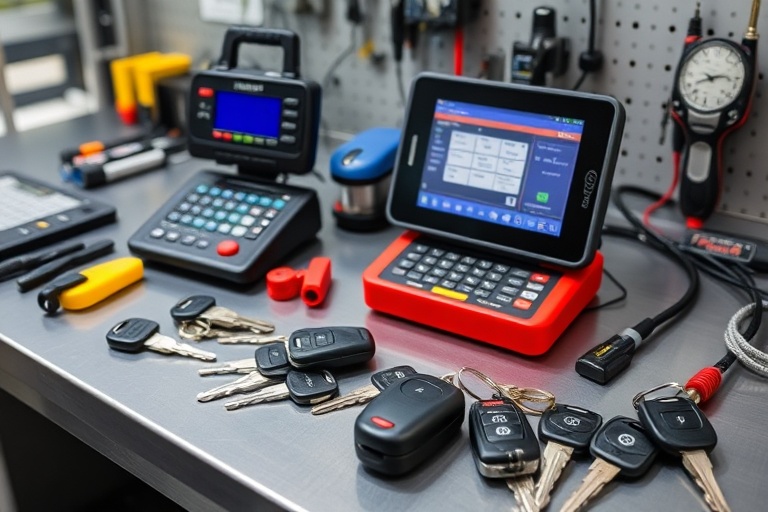
Car keys and programming equipment on a workbench
GTA CAR KEYS / NISSAN KEYS
Your model. Your key. Your next step.

Year & model · Working keys · Vehicle location

A warning message is information, not a diagnosis

When a Nissan displays a key-related message, record the wording as closely as possible. Explain what you were trying to do, whether the vehicle started, and whether another key behaves differently. The message is useful information for the enquiry, but it should not be treated as proof that a replacement fob is the answer. Start with the observed behaviour rather than a guessed faulty component.

If the key is simply missing, make that clear instead. State whether another key remains and whether you can enter or drive the vehicle. A missing-key replacement, an additional spare, and an intermittent recognition problem have different starting points. Choosing the closest service category is helpful, but the short explanation beside it is what makes the enquiry specific.

Include the Nissan's model year and model, together with whether you use an ignition key or a start button. Where an Intelligent Key arrangement is involved, describe the functions you normally use instead of assuming the name alone identifies every detail. Ask about your particular configuration before buying a remote or relying on a claim that one item fits an entire make.

Build a useful description of the Nissan key situation

Note the exact message

Write down the dashboard wording during normal use. Say whether it appears every time or only occasionally, and whether the vehicle can still be started. Avoid combining different messages into a general statement that the key is faulty. If the wording changes, keep the newer information available when following up on the same enquiry.

Separate entry from starting

Explain whether the remote buttons unlock the car and whether the vehicle starts. If your usual entry method works but starting does not, say that. If starting works but a remote button fails, describe the opposite. This distinction is more useful than calling the entire fob dead and can prevent an enquiry being framed around the wrong symptom.

Identify the other available keys

State how many keys you have and which ones are known to work. If a second key behaves normally, mention that observation. If both have the same problem, say so without assuming a cause. If no spare has been used recently, do not present it as a confirmed working alternative merely because it is physically available.

Record relevant recent events

Mention a dropped fob, water exposure, case work, battery replacement, or a separately purchased remote if relevant. These details provide context; they do not establish a diagnosis by themselves. Keep the timeline short and factual. The aim is to explain what changed, not to prove that the first event you noticed must have caused the problem.

Nissan Intelligent Key: use model-specific information

Nissan's owner support provides a route to manuals and guides for the vehicle. Use the information for the correct model year when checking normal Intelligent Key operation or interpreting a warning. An instruction for a different Nissan may describe a different arrangement. Do not repeatedly try unfamiliar button sequences from an unrelated model in response to an unexplained recognition problem.

When you contact us, separate what the manual says from what you observed. You might report that a particular message appears and that a second key starts the car normally. That is a useful account without asserting that a new fob is required. If you cannot access the manual at the time, record the message and vehicle details so the enquiry can still begin accurately.

If your vehicle has connected-app features, distinguish those from the physical key. A problem with an app command is not the same description as a fob that fails during normal entry or starting. State which route you used and whether the physical key still works. This keeps the conversation focused and avoids assuming a physical-key service resolves every connected feature problem.

Owner reference: Nissan owner support and manuals. Choose the information that matches your vehicle.

Turn an uncertain symptom into a practical enquiry

Describe the current state

Provide the year, model, starting method, exact message if present, and what still works. Say whether another key is available and where the car is parked. If the vehicle cannot be moved, include that before discussing arrangements. Keep observations separate from a diagnosis you have not had confirmed.

Clarify the appropriate service

Ask whether the next conversation should concern a missing-key replacement, an additional spare, or assessment of an existing fob. Mention any item you already bought and ask about suitability. Discuss the scope and price for your vehicle, not a general figure for every Nissan or every Intelligent Key arrangement.

Keep the information current

If the key starts working again or the message changes, update the enquiry. Intermittent behaviour is still worth describing accurately. Confirm the location, access, and contact person if work is arranged, and ask what keys should be available. Do not treat a form acknowledgement as confirmation of an appointment or a completed assessment.

Replacement fob or spare key: compare the intended result

If a Nissan fob is lost and no other key is usable, explain that all keys are lost. The enquiry is about restoring use of the vehicle from that starting point. If another key still works, say whether you want a spare or a replacement for the missing item. Ask separately about any concern that someone else may use the missing key; adding another key should not be assumed to address every access question.

If you want an additional fob for a second driver, describe which functions the person needs. A key for everyday driving should be compared with the complete outcome being offered. Ask whether the quotation covers the item and relevant preparation. Do not compare a remote shell, a supplied blank, and a complete usable key as though they are the same product.

For an online purchase, keep the seller's reference and description available. Similar button layouts do not establish suitability. Ask what needs to be checked against your model year and configuration before arranging programming. A low purchase price can become irrelevant if the item cannot be used for the intended result, so compatibility belongs at the start of the discussion.

Write the message you would want a technician to read

A useful symptom enquiry might say: “My Nissan has a start button. A key-related message appears with one fob, but the other fob starts the car normally. I still have both keys and would like advice on the next step.” Add the model year, model, exact message, and city. This states what is known and avoids declaring the fob or vehicle system faulty without an assessment.

For a lost-key request, keep the message equally direct: explain whether all keys are gone, whether the vehicle is locked, and where it is parked. If the car is in a controlled-access garage, mention that access must be arranged. You can provide precise entry details during the follow-up. The first message should establish the problem and practical setting without becoming a long account of unrelated events.

When comparing a quote, keep the proposed item, work, and expected functions beside the amount. Ask about anything that remains conditional on checking the vehicle or supplied fob. If work goes ahead, retain the description and ask how the relevant functions will be reviewed. This gives you a clearer basis for a later question than remembering only a headline price or a general promise.

If another person will speak on your behalf, share the short symptom record with them. The wording of the message and the difference between the two keys can easily be lost when an enquiry is passed between drivers. Keep the account consistent and update it when the vehicle's behaviour changes. Accurate information is useful even when the cause is not yet known.
Nissan key fob questions

Does a key warning mean I need a new Nissan fob?

Not necessarily. Record the wording, explain what still works, and say whether another key behaves differently. A warning helps describe the situation but does not by itself identify the required repair or replacement. Ask for the appropriate next step before buying an item on that assumption.

What if the fob unlocks the doors but the car will not start?

Report those two facts separately. Include the vehicle details, any displayed message, and whether another key works. Avoid describing the problem only as a remote-locking fault or assuming that programming is definitely required. The starting behaviour needs to be part of the enquiry.

Can I get another key if I still have one working fob?

Describe the request as an additional spare and explain its intended functions. Provide the year, model, and starting arrangement. Ask which option applies and what the quotation covers, including any item you plan to supply yourself. Confirm availability directly before making practical plans.

Where can I find the correct Nissan instructions?

Use Nissan's owner support and its manuals and guides for the matching vehicle. Instructions for another model or year should not be treated as interchangeable. If you are unsure which guide applies, keep the vehicle details and warning wording available when seeking help.

What if a separately purchased Nissan fob has never worked?

Say that the item is a separate purchase and provide any available reference or seller description. Ask about suitability before assuming that programming alone will make it usable. Keep return information available and distinguish this situation from a previously working original fob that has developed a fault.

Keep exploring

Choose the guide that matches your question, or contact us with the vehicle details.

GTA Car Keys · Toronto & the GTA

Make the next conversation specific.

Have your year, make, model, working-key situation, and vehicle location ready. Ask about the suitable service, availability, and the full scope of your quote.